 UNVELL
The World's First WinForms Spreadsheet That Draws on the GPU — The Latest from ReoGrid .NET and ReoGrid Web
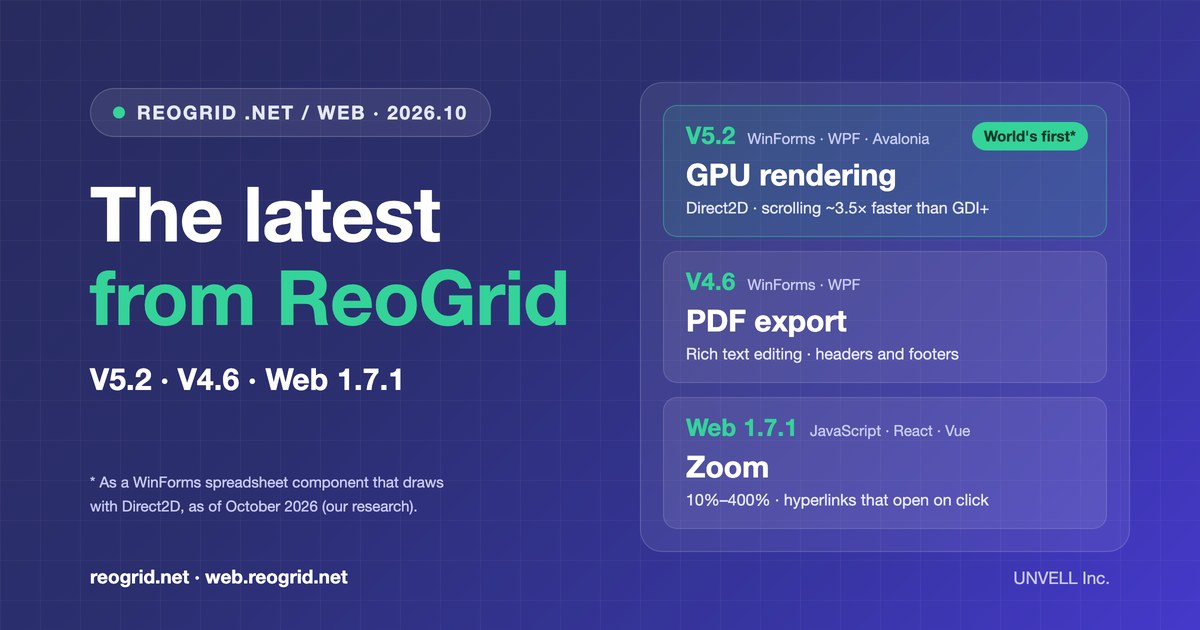
In October, UNVELL Inc. released V5.2 and V4.6 of ReoGrid, our spreadsheet component for .NET, and 1.7.1 of ReoGrid Web, our spreadsheet library for web apps. This post gathers the highlights of all three.
| Product | Platforms | Released (2026) | Highlights |
|---|---|---|---|
| ReoGrid V5.2 | WinForms · WPF · Avalonia | Oct 22 | GPU rendering (Direct2D), faster drawing on WPF and Avalonia |
| ReoGrid V4.6 | WinForms · WPF | Oct 16 | PDF export, rich-text editing in the cell, better printing |
| ReoGrid Web 1.7.1 | JavaScript · React · Vue | Oct 23 | Zoom and hyperlinks (1.7), React/Vue and date display fixes |
Customers within their update & support period can update all three at no extra cost.
ReoGrid V5.2 — The world's first WinForms spreadsheet that draws on the GPU
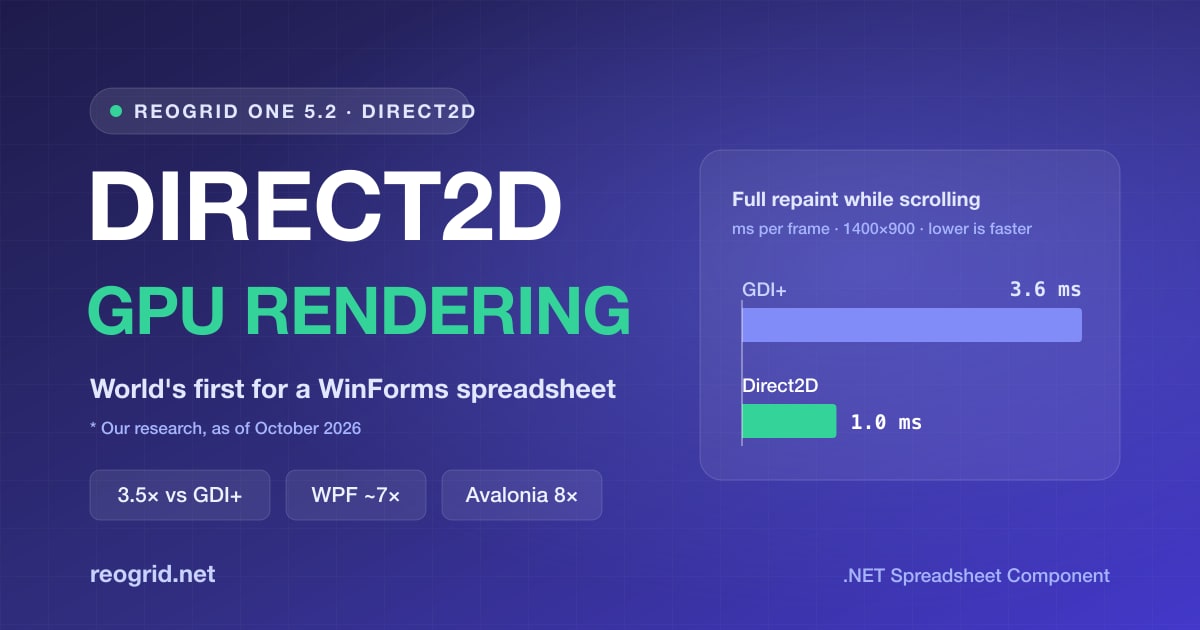
WinForms has drawn with GDI+ since .NET 1.0, which means the CPU paints every gridline, every fill and every cell's text on each frame. V5.2 gives the WinForms control a second renderer, Direct2D: cells are drawn on the GPU and text is laid out with DirectWrite. Switching takes one property.
using unvell.ReoGrid.WinForms;

grid.Renderer = GridRenderer.Direct2D;   // that's all it takes
This makes ReoGrid the world's first WinForms spreadsheet component that draws with Direct2D (our research, as of October 2026). The workbook, worksheet and editing APIs behave the same under either renderer, so your application code works as-is. Where Direct2D is unavailable, the control keeps drawing with GDI+.
In the same release, WPF and Avalonia now redraw only the cells that changed, and are much faster for it. Update the package and rebuild to get the speed-up.
| Scenario | Before | 5.2 | |
|---|---|---|---|
| WinForms: full repaint while scrolling (1400×900) | 3.6 ms (GDI+) | 1.0 ms (Direct2D) | ~3.5× |
| WPF: one frame while scrolling (1400×900) | ~10 ms | ~1.5 ms | ~7× |
| Avalonia: maximized at 150%, 108 cells updated per frame | 15 fps | 120 fps | 8× |
| One frame of a 100,000-row sheet with 50,000 merged cells | 148–160 ms | 9.4 ms | ~16× |
These are our own measurements. "Before" is GDI+ rendering for WinForms, 5.1 for WPF and merged cells, and 5.0 for Avalonia. Measured on AMD Ryzen 9 9900X / Windows 11 / .NET 10 (Direct2D on an NVIDIA GeForce RTX 3080 Ti).
The release also brings more than 100 Excel-compatibility fixes. Formulas loaded from XLSX recalculate when the cells they reference change; input such as 50%, 2026/10/21 and 13:45 is entered as a percentage, a date and a time; and the Delete key clears values and formulas while keeping the formatting, just as Excel does.
For the full story, see "The World's First WinForms Spreadsheet That Draws on the GPU — ReoGrid One 5.2" on reogrid.net.
ReoGrid V4.6 — PDF export and rich-text editing in the cell
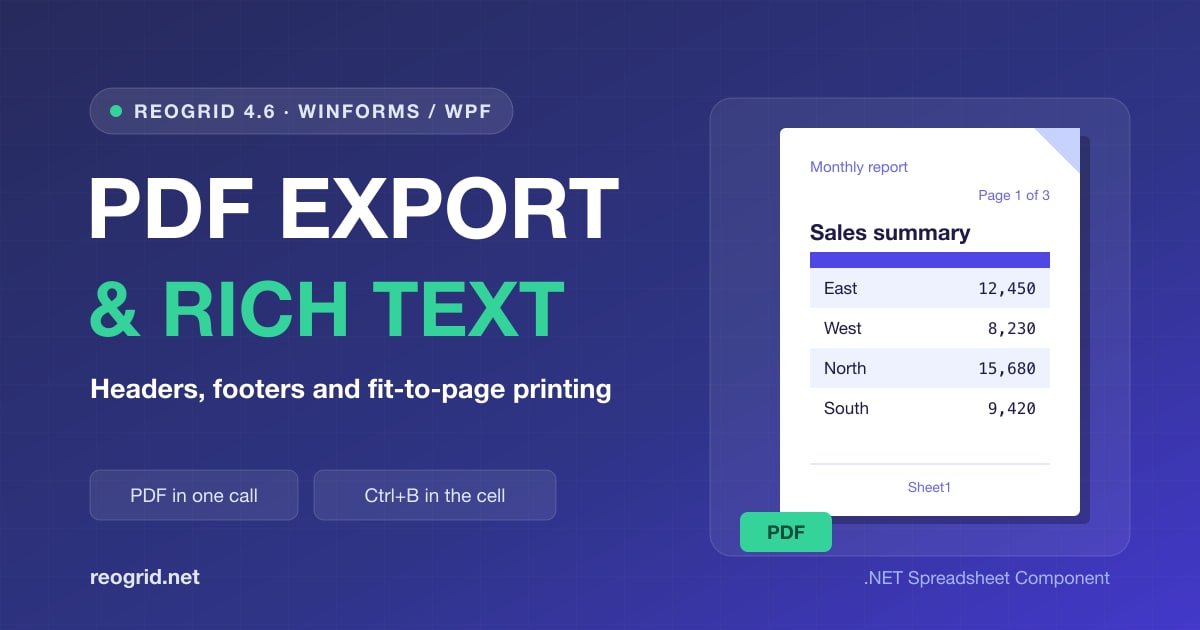
V4.6 is all about output. Worksheets can be written straight to PDF, and printed pages now carry the headers, footers and fit-to-page scaling that business documents rely on.
using unvell.ReoGrid.PDF;

// A whole workbook in one PDF, paginated exactly as it prints
PDFExporter.Export(reoGridControl.Worksheets, @"C:\Reports\book.pdf");
- PDF export (WinForms) — One call writes a sheet or a whole workbook to PDF, paginated the same way it prints, with searchable, copyable text. Only the characters in use are embedded, so files stay small even with Japanese fonts
- Rich-text editing (WinForms / WPF) — While editing a cell, select part of the text and make it bold, italic, colored or a different size. Ctrl+B / I / U work too
- Headers and footers — Page numbers, page count, date and sheet name on printed pages and in PDF, written with Excel's format codes (
&P,&Nand so on) and read from and written to XLSX - Fit to pages — Excel's "Fit to" option and page centering. XLSX page setup, including paper size and print area, is now read and written as well
ReoGrid V4 will continue to be sold and supported, and V4 and V5 share the same license. From 4.6, each newly issued Professional license key is activated per development device. Keys you already have, and the applications you ship, work exactly as before.
For the full story, see "Announcing ReoGrid 4.6 — PDF Export, a Rich-Text Cell Editor, and Better Printing" on reogrid.net.
ReoGrid Web 1.7.1 — Zoom and hyperlinks: Excel workbooks, as they are, in the browser

1.7 (October 6) added zoom and hyperlinks, and 1.7.1 (October 23) follows up with a round of refinements.
- Zoom 10%–400% (Lite / Pro) — Ctrl / Cmd + wheel or a trackpad pinch zooms around the pointer. Each sheet keeps its own zoom, which is saved to xlsx. Only the view changes: printing and exports stay at 100%
- Hyperlinks (Lite / Pro) — Links in xlsx files are loaded, open in a new tab on click, and are written back on save. Creating links and
=HYPERLINK()are Pro features - Whole workbook in one PDF (Pro) — Like Excel's "Print Entire Workbook": every sheet in one document, each with its own paper size and orientation, numbered continuously
- xlsx that looks right in Excel (Pro) — Row heights, number formats, numbers and line breaks are written the way Excel expects, so a saved form opens in Excel looking the same
import { createReogrid } from '@reogrid/pro';

// Rename parts of the built-in UI (1.7.1); the rest keeps its default text
const grid = createReogrid({ workspace: '#app', labels: { filterOk: 'Apply' } });

grid.worksheet.setZoom(1.5);   // show the sheet at 150%
In 1.7.1, the React and Vue components' events follow the active sheet, and dates and times show the value stored, whatever the viewer's time zone. The built-in UI's text — the filter dropdown, the find bar and more — can now be translated as shown above, and a complete Japanese set ships as REOGRID_LABELS_JA.
There are no breaking changes to the public API, so you can upgrade with your existing code as it is. Ctrl / Cmd + wheel over the grid now zooms the sheet (wheelZoom: false restores the previous behavior).
npm install @reogrid/pro@latest
# free edition: npm install @reogrid/lite@latest
For the full story, see "ReoGrid Web v1.7 — zoom, hyperlinks that open, and a whole workbook in one PDF" on the ReoGrid Web site.
For existing customers
During your update & support period (the first year, and while an annual renewal is active), all three updates are included at no extra cost, with the license key you already have. Get the .NET builds from the Customer Portal and ReoGrid Web from npm.
Start a free trial of the .NET edition, or open the ReoGrid Web demos right in your browser. For questions about adoption, quotes or feature requests, please feel free to contact us.