 UNVELL
ReoGrid V5 Released — Full Virtualization on Line One, Making a Million Rows Ordinary
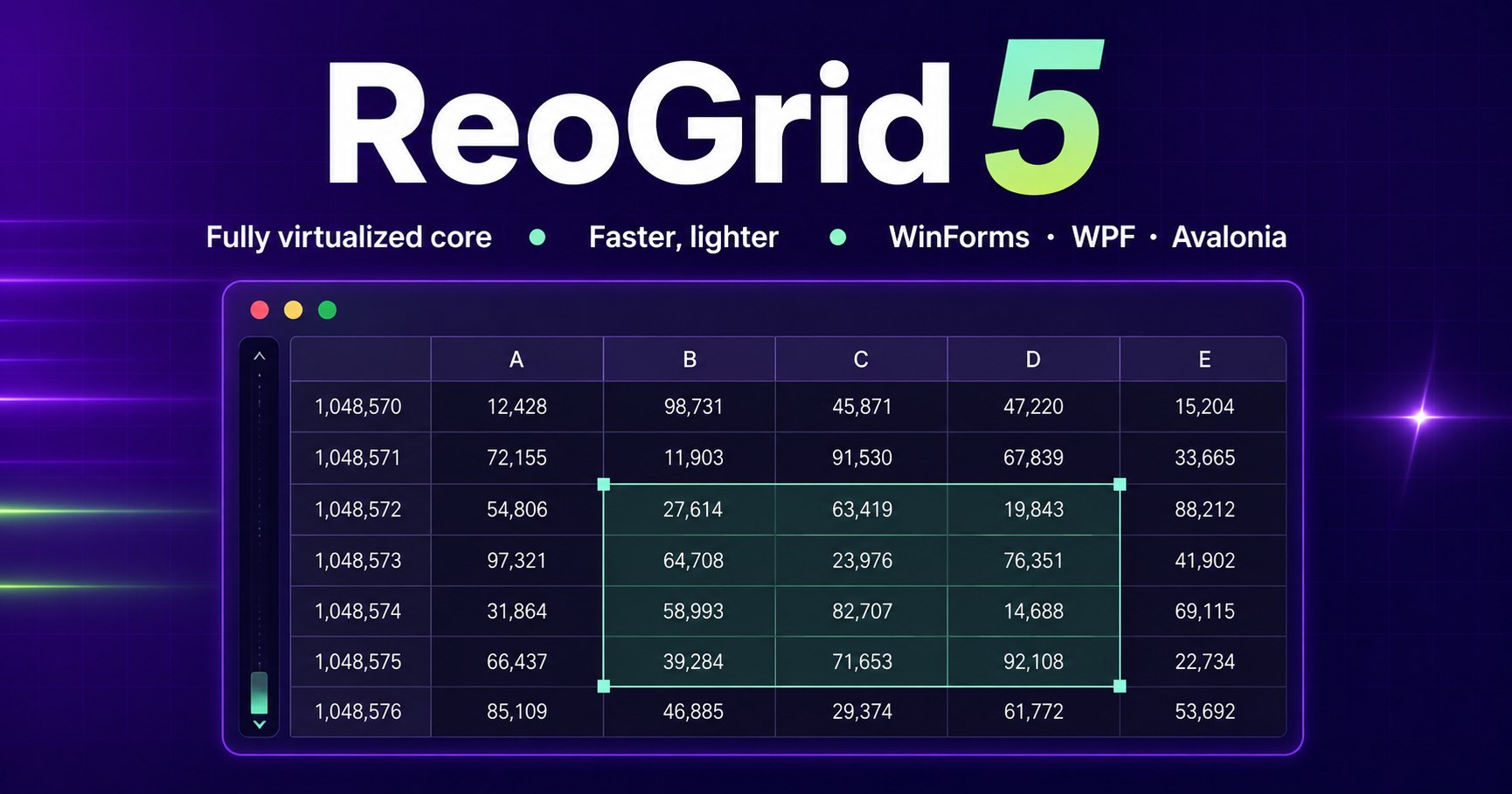
UNVELL Inc. has released ReoGrid V5, the next generation of its spreadsheet component for .NET, on August 25, 2026.
V5 is an extension of nothing. It is a next generation rebuilt from the core, with full virtualization placed on line one of the design rather than added later as an optimization — and the data structures and renderer were rebuilt around it.
The result: a frame costs the same ~6.5 ms whether the sheet holds a hundred thousand rows or a million. There is one reason for that. What sets the workload is the range you can see, not the volume of data behind it. It leaves room inside the 16.7 ms a frame gets at 60fps.
Of those 6.5 milliseconds, pulling the data out of the sheet accounts for 30.4 microseconds and allocates zero bytes — 0.2% of the frame budget. Everything else stays available for drawing and for your own code.
Ten rows or a million rows, the sheet feels the same in your hands. That is where V5 starts, and where it arrives.
Not "made faster" — rebuilt in a shape that is fast
There are two ways to improve performance. You can find bottlenecks and remove them one at a time, or you can rebuild the structure so the bottleneck never forms.
ReoGrid has spent years doing the first. In V4.4 alone, bulk data loading with conditional formatting became roughly 11,700× faster and sorting roughly 10× faster. But that work made something clear: the remaining ceiling was in the design, not in the implementation.
In the previous design, every occupied cell is one CLR object — about 300 bytes each, measured. Hold a million rows by fifty columns naively and you are already in gigabyte territory. No amount of tuning individual operations gets you to "a million rows, handled normally" on that foundation.
So V5 rebuilds the foundation.
What went on line one: full virtualization
Treat virtualization as something you add later and there will always be a gap. The renderer is virtualized, but conditional formatting still sweeps the whole sheet. Scrolling is smooth, but colouring an entire column freezes the UI. One remaining full scan anywhere becomes the new ceiling.
V5 takes a single principle and carries it everywhere:
The work is proportional to the window you are looking at, not to the size of the sheet.
That applies not only to drawing, but to input, evaluation, formatting, search and I/O. What follows is the evidence.
Why it is fast, part 1 — a small cell drives the cost of memory management to the floor
Speed starts with carrying a lighter load. Small data fits in CPU cache, and it gives the garbage collector far less to look after.
The V5 core store is row-chunked and column-oriented, with adaptive blocks. Cell values are packed as a 16-byte value type; styles and strings are interned. The store holds exactly the cells that carry values, so a sheet that is merely declared large stays light.
Measured on .NET 10, Server GC, 64-bit (June 19, 2026; re-verified August 25, 2026):
| Scenario | Occupied cells | Heap | Per cell |
|---|---|---|---|
| Dense 200,000 × 50 (numbers) | 10,000,000 | 155 MB | 16.3 B |
| Dense 200,000 × 50 (200 distinct strings) | 10,000,000 | 155 MB | 16.3 B |
| Dense 200,000 × 50 + 5 styles | 10,000,000 | 194 MB | 20.4 B |
| Uniformly scattered sparse data (worst case) | — | — | 23.4 B |
Ten million cells for about 155 MB — comfortably inside a laptop's memory.
Measured head-to-head against the previous generation
V4 stores one CLR object per occupied cell — the way spreadsheet components are conventionally built. So this is, in effect, a comparison against the standard design.
Measured on AMD Ryzen 9 9900X / Windows 11 / .NET 10.0.10 / Workstation GC, median of 3 runs (August 25, 2026):
| Measurement | ReoGrid V5 | Previous generation (V4) | Ratio |
|---|---|---|---|
| Holding 10M cells (200,000 × 50, numbers) | 16.4 B/cell (156 MB) | 298.2 B/cell (2.78 GB) | 18.2× |
| Time to write them | 727 ms | 8.9 s | 12.2× |
| Holding 10M cells (200 distinct strings) | 16.4 B/cell | 234.2 B/cell | 14.3× |
| Holding 20M cells (1,000,000 × 20) | 312 MB | 5.54 GB | 18.2× |
| Formatting a whole column of a 1,048,576-row sheet | 0.89 ms | 10 ms | 11.1× |
| Formatting 10M cells (peak memory) | 235 MB | 4.25 GB | 18.5× |
The same data, in one eighteenth of the memory. A million rows by twenty columns cost 5.54 GB under the previous design — server-class memory, in practice. V5 holds it in 312 MB.
Note: V4 was given its best showing, using the bulk-loading path it documents itself (data-changed events suspended, formula recalculation off). What the numbers show is not rough implementation but a difference of design generation. V4 remains on sale and under maintenance.
Interning collapses strings to the same cost as numbers. Styles behave the same way: apply one format to two million cells and exactly one style instance is retained.
The worst-case row matters most. A naive block structure swells to 146 bytes per cell on uniformly scattered data — back to the previous generation's level — which is exactly why the store keeps sparse regions sparse and promotes a block to dense only once it earns it. Whatever shape your data arrives in, the same speed comes out.
Why it is fast, part 2 — the visible window sets the workload, not the sheet
Carry a light load, and move only as much of it as you need. That is the second pillar.
What a spreadsheet feels like in the hand comes down to what happens on every frame more than to total memory. Allocate even a little while scrolling and it eventually becomes a garbage collection, which arrives at your fingertips as a dropped frame.
The V5 read path for the viewport is completely allocation-free.
Measured on a 200,000 × 50 sheet, reading a 60 × 40 window 1,000 times (August 25, 2026, Workstation GC):
| Per read | ReoGrid V5 | Previous generation (V4) | Ratio |
|---|---|---|---|
| Time | 30.4 µs | 95.4 µs | 3.1× |
| Allocated | 1.2 B | 90.8 B | 78.8× |
Note: V5's 1.2 B is what the harness observed process-wide. The read path itself allocates zero bytes, confirmed by per-thread measurement in the store-level benchmark (Server GC, 16.9 µs per read).
A sheet may declare 1,048,576 rows; the cost of a read is still set by the window alone. The read path produces zero bytes of garbage, so adding rows adds no GC pressure — fling the scrollbar to the far end and the grid tracks your finger the whole way.
Measured by actually painting a frame
We also measured a full frame — reading the cells and drawing them to the screen. A 1600×900 grid showing twenty columns, median of 200 renders after 30 warm-up passes (Apple M4 Pro / macOS / .NET 10 / Avalonia + Skia, August 25, 2026):
| Rows of data in the sheet | Position | Frame paint |
|---|---|---|
| 100,000 | top | 6.51 ms |
| 1,000,000 | top | 6.55 ms |
| 1,000,000 | scrolled to the last row | 8.23 ms |
Multiply the row count by ten and the frame moves from 6.51 ms to 6.55 ms — 0.6%. That is full virtualization as a measurement. V5 severs the link between how much data you hold and how heavy the grid feels.
A frame gets 16.7 milliseconds at 60fps. A million-row sheet scrolled to its final row still fits inside that.
Why it is fast, part 3 — the same principle, all the way down
This is where most of the V5 effort went. Plenty of products have a virtualized renderer. What actually stalls a line-of-business application is usually everything around it. V5 removed the full scans one by one.
- Conditional formatting — rules are evaluated only for visible cells. Range statistics (min, max, average, rank) are cached per frame, so a colour scale over a million rows does not slow scrolling.
- Cell types (checkboxes, dropdowns and so on) — instead of one instance per cell, these are range-scoped flyweights. A checkbox column a million rows tall is one entry plus one shared descriptor. Drawing and hit-testing touch only the visible range.
- Banded (alternating) rows — nothing is written into cells. The sheet holds a single banding definition, resolved at draw time. A million banded rows is one object, and it survives sorting, filtering and row insertion intact.
- Formatting whole rows and columns — these route to row and column default styles, so the cost tracks the number of lines, not the number of cells. Colouring an entire column on a 1,048,576-row sheet takes a measured 0.89 ms. Clear, border and number-format operations clamp to the used range.
- Find and replace — the scan walks the store's 256-row chunks and visits only cells that actually exist. On a sheet declared a million rows tall, you pay for the content, not the dimensions.
- XLSX import — a streaming reader means memory tracks the cells that exist, not the sheet's declared size.
- Auto-fit — measurement covers the used range only. It never goes looking through a million empty rows.
Individually these are unglamorous. Together they are the difference between a benchmark number and an application that stays responsive. That consistency is what V5 spent its time on.
Side by side with the other libraries — same file, same machine
A number only means something next to another number. We measured V5 against the main open-source .NET spreadsheet libraries on the same machine, the same runtime and the same input file.
The input xlsx is produced by a neutral generator that depends on none of the libraries under test — generating it with one of them would hand that library a file shaped exactly the way its own reader likes best. Values read back are checked against expectations at several positions, so a "fast but empty" result cannot take the top of the table.
Measured on AMD Ryzen 9 9900X / Windows 11 / .NET 10.0.10 / Workstation GC, median of 3 runs (August 25, 2026). Input: 200,000 rows × 10 columns (2,000,000 cells).
| Library | Holds | Read time | Retained memory |
|---|---|---|---|
| ReoGrid V5 | Cell model | 1.9 s | 129 MB |
| ReoGrid V4 | Cell model | 2.7 s | 521 MB |
| NPOI 2.7.4 (XSSF) | Cell model | 4.3 s | 631 MB |
| ClosedXML 0.105 | Cell model | 3.6 s | 165 MB |
| EPPlus 4.5.3.3 | Cell model | 1.8 s | 168 MB |
| NanoXLSX 2.5 | Cell model | 11.8 s | 281 MB |
| MiniExcel 1.41 | Streaming | 2.0 s | 89 MB |
Among the libraries that hold an addressable cell model, V5 is lowest on both read time and retained memory.
Two things deserve stating plainly. EPPlus 4.5 is level on time (1.8 s), though it retains about 1.3× the memory. MiniExcel retains the least at 89 MB, but it is a streaming row reader: it yields rows and forgets them, so nothing is addressable afterwards. It is a different kind of product, not a like-for-like comparison.
We also measured what happens after the file is open. Across 10,000 random cell reads, V5 is fastest at 0.3 µs per read (V4 0.5, ClosedXML 0.6, NanoXLSX 0.9, NPOI 1.1, EPPlus 1.5). Opening a file quickly and using it quickly afterwards are separate problems. V5 takes both.
Commercial grid products are deliberately absent: their licence agreements typically forbid publishing benchmark results. Every library above is open source, with no such restriction.
Completeness — competing on Excel's own terms
Scale and feature depth are often traded against each other. V5 gave up neither; everything below composes with the virtualization described above.
Formula engine
Around 85 functions, dependency-ordered recalculation (Kahn's algorithm), and reference shifting that follows row and column insertion and deletion. Cross-sheet references such as =Sheet2!A1 and 'My Sheet'!A1:B2 are supported, as are defined names (named ranges) at both workbook and sheet scope.
Formatting A number-format engine that reads Excel's own format codes, including sections, conditions and colours. Conditional formatting is the full OOXML set — cell value, formula, text match, colour scales (two and three colour), data bars, top/bottom, above/below average, duplicate and unique, and icon sets (arrows, flags, traffic lights, ratings, stars — every standard set) — all of it round-tripping through XLSX.
What real work needs Undo/redo, multi-key sorting, auto-filter including condition filters, data validation, sheet protection with per-cell locking, cell notes, auto-fill, text rotation, indentation and vertical text, frozen panes, outlining, and zoom from 10% to 400%.
Printing and export
Paper sizes from A5 to A3 plus B5, B4, Letter, Legal, Tabloid and Executive; margins, scaling, fit-to-page, repeated print titles, and headers and footers using Excel's &P and &D codes. Screen, printer and PDF all share one pagination engine, so the preview, the printout and the PDF agree.
I/O XLSX (no external dependencies, streaming reader), PDF (no external dependencies, with Japanese fonts embedded so the output stays searchable and copyable), reogrid-json (byte-compatible with ReoGrid Web), and CSV.
Backing all of this, the core ships with 940 automated tests kept green.
Ease of adoption is a design requirement too
- One package, one DLL, zero NuGet dependencies. Core, I/O and UI arrive in a single self-contained assembly you add with one reference. (The Avalonia package is the sole exception: it references
Avalonia, because the control must bind against your copy.) - Three platforms: WinForms, WPF and Avalonia. Avalonia support means the same code runs on Windows, macOS and Linux.
- A headless, UI-independent build is available. Reading XLSX and producing PDF on a server needs no window.
- Runtime requirement: .NET 10 or later.
| Package | Target |
|---|---|
unvell.ReoGrid.One | WinForms |
unvell.ReoGrid.One.Wpf | WPF |
unvell.ReoGrid.One.Avalonia | Avalonia (Windows / macOS / Linux) |
unvell.ReoGrid.One.Core | Headless (no UI) |
Licensing — one key, every version, every platform
V5 ships as ReoGrid® One, on deliberately simple terms.
- A perpetual licence bought once, plus an optional annual renewal. Not a subscription.
- Version-independent and platform-independent. A key issued for V4 activates V5 unchanged; no reissue is needed. One licence covers WinForms, WPF, Avalonia and headless use.
- There is no kill switch. If you stop renewing, the binaries you hold keep running forever and you may continue shipping applications built with them. What lapses is access to newer builds and official support — nothing else.
- Royalty-free runtime. Your end users need no licence of their own.
When a component is embedded in systems that run for a decade, a design where "stop paying and shipped software stops working" is not one we will adopt. That will not change.
Without a licence applied, the grid still displays, scrolls, prints and exports — a watermark appears and editing is disabled. Evaluation is deliberately unobstructed, so you can start immediately.
Built on more than ten years of production use
Since its debut in 2014, ReoGrid has been adopted in projects across more than twelve countries, including Japan, the United States and Germany, with over 180,000 downloads through NuGet. It is in production in domains where reliability is paramount, financial systems among them.
Most of V5's design decisions did not come from theory. They came from a decade of specific reports from the field — "loading a few hundred thousand rows stops responding", "pouring data into a template with conditional formatting freezes the UI", "formatting is lost when we open a file Excel produced". Each of those shaped which structure V5 rebuilt and how.
Full virtualization became the starting point not because it is fashionable, but because the places customers were actually getting stuck all traced back to the same root.
ReoGrid is a registered trademark in Japan (Registration No. 7052809).
For customers on V4
V5 breaks API compatibility, so V4 sales and maintenance are not ending. There is no need to rush a migration.
- V4 and V5 ship as separate NuGet package IDs. A version bump will never suddenly break an existing project's build.
- Your contract stays the same. A ReoGrid One licence covers both V4 and V5 at no additional cost.
- Charts, drawing objects and multi-row column headers are outside V5's initial release. If you use them, stay on V4 — we will schedule them for V5 based on what customers ask for.
Try it on your own data
Performance is best confirmed on your workload rather than on someone else's chart. The evaluation build runs without a licence, so load your heaviest workbook and scroll through it.
We are glad to help with evaluation on representative data sets, or to advise on migrating an existing V4 project. Please get in touch.